Simulator HUD Kit
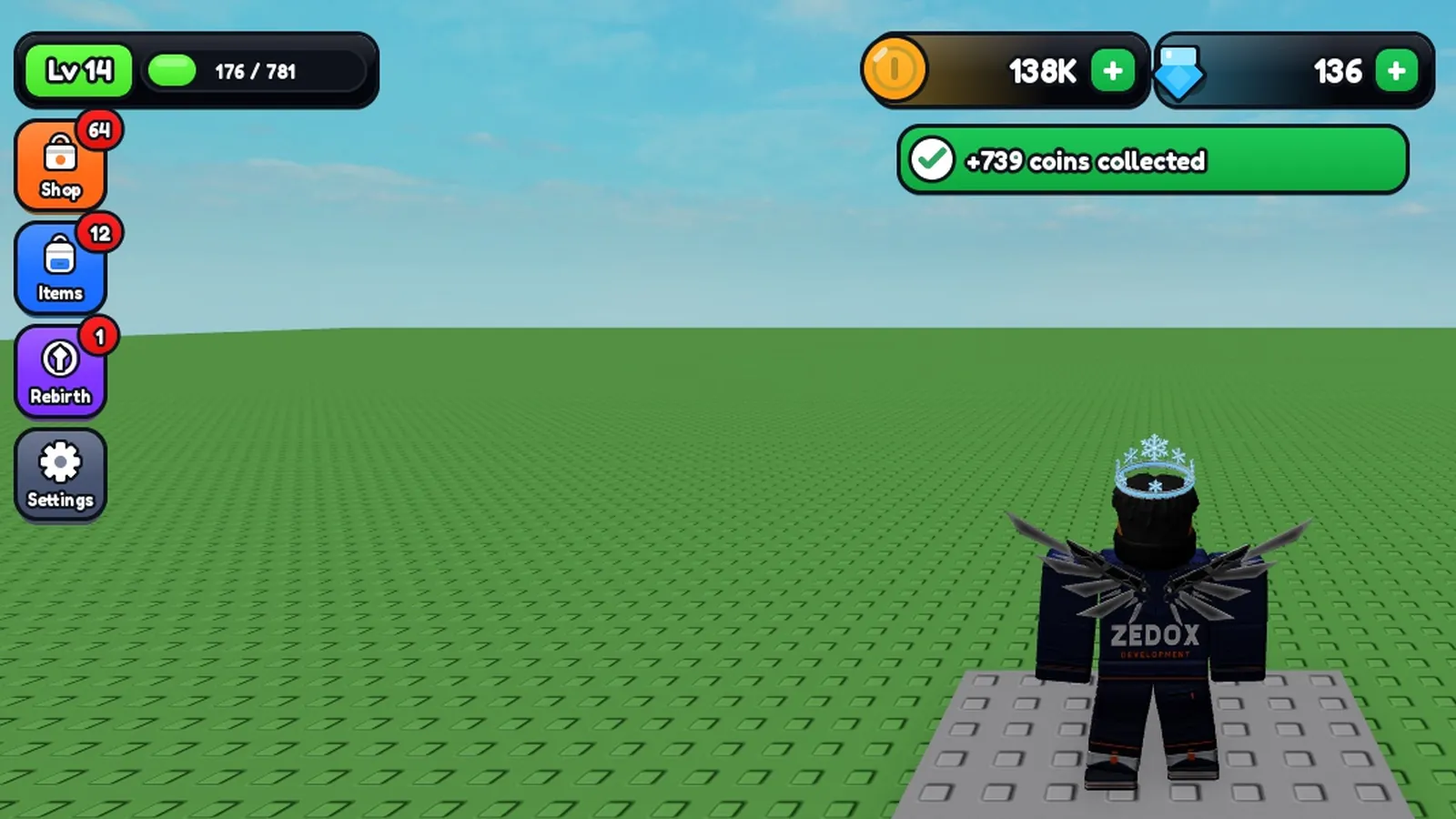
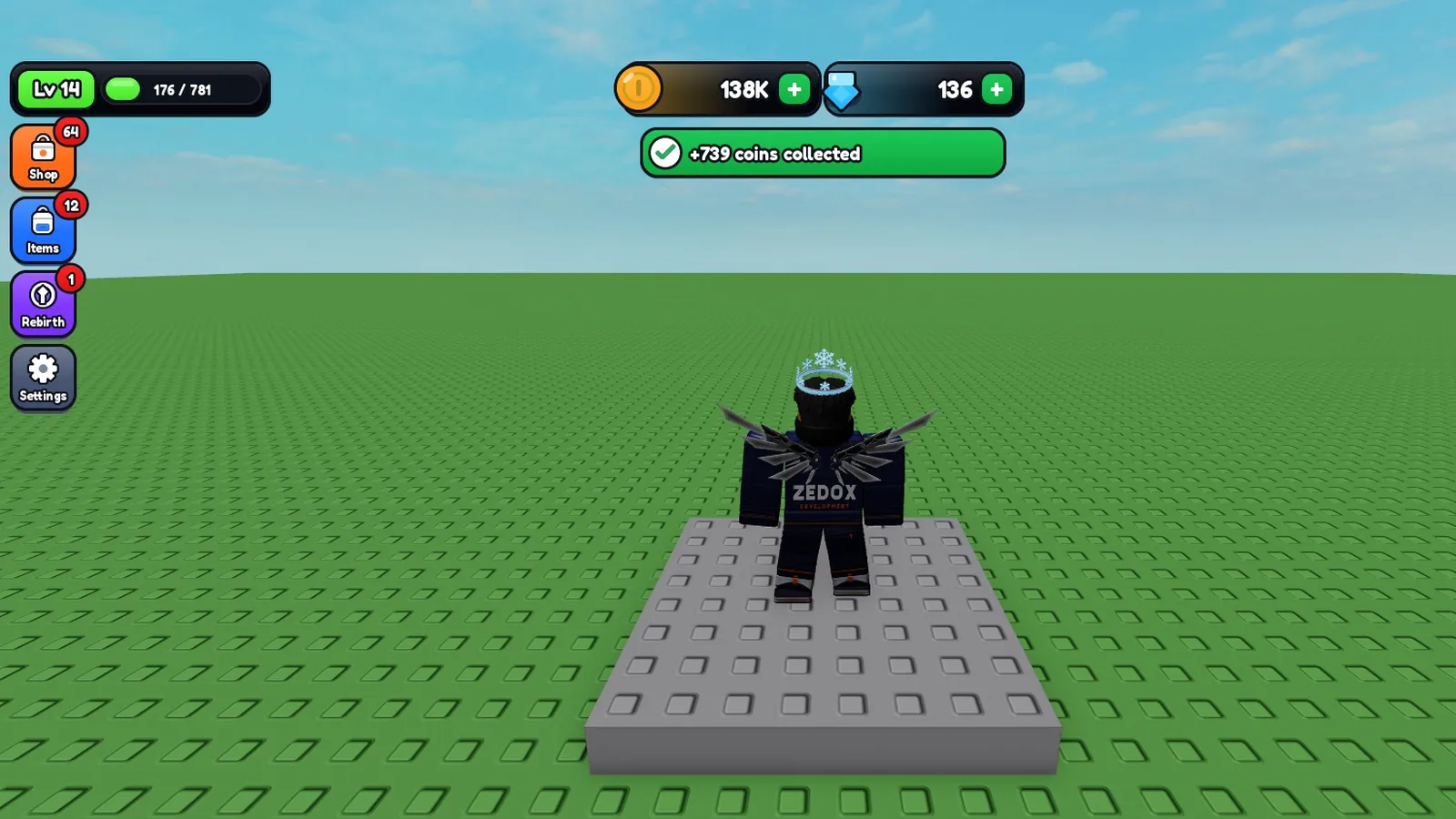
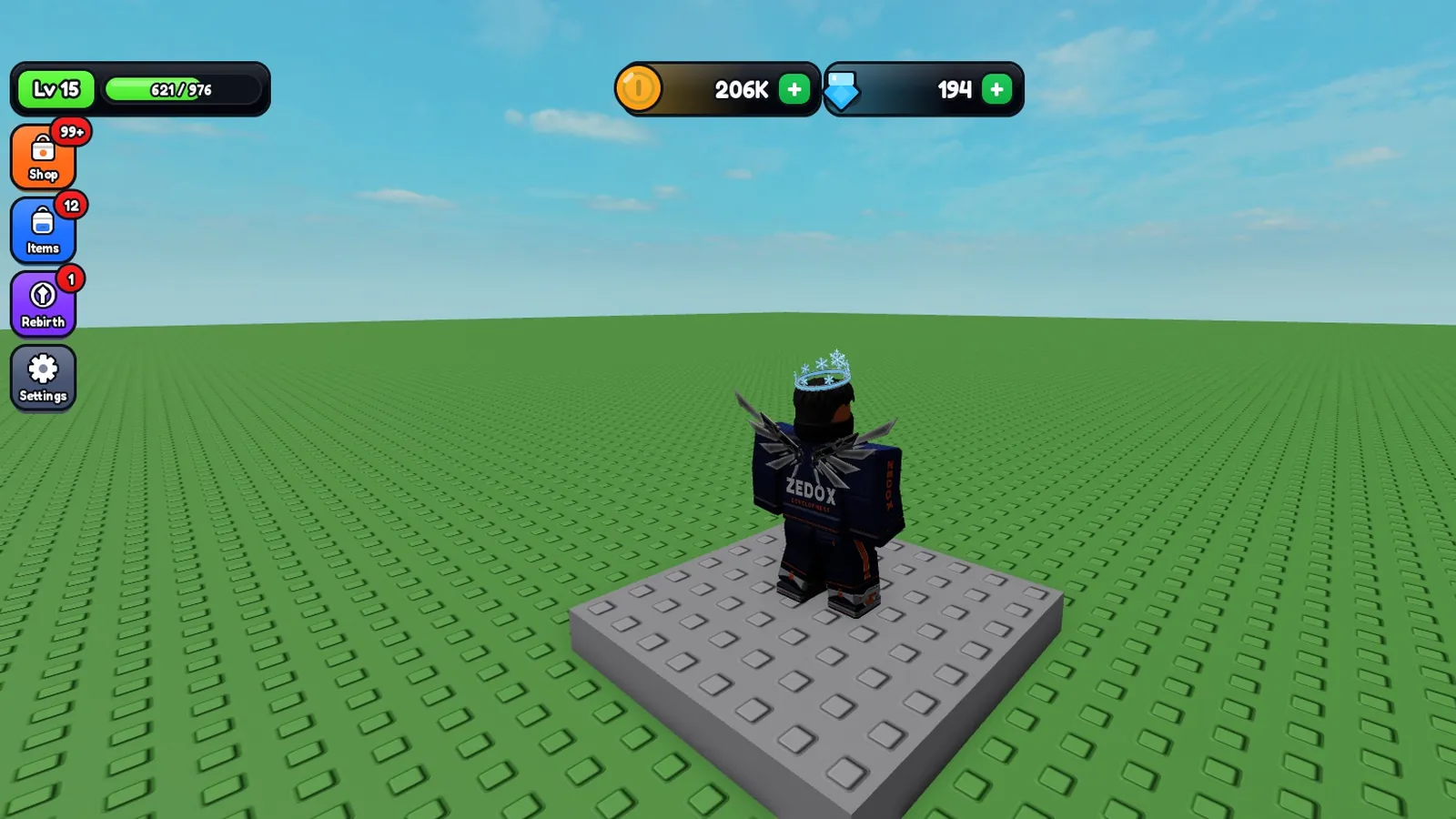
Code-built simulator HUD: currency counters, XP bar, side menu with badges and toasts. Phone ready, no images.
 1 / 4
What it does
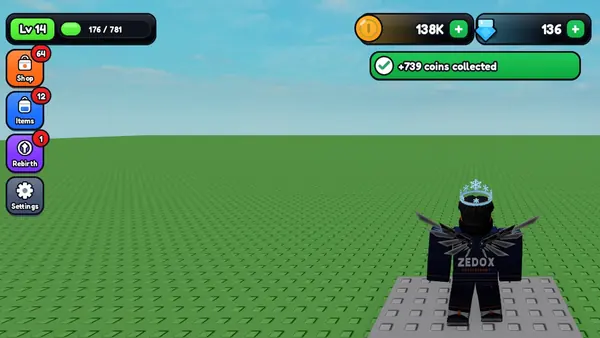
A polished, themeable HUD for simulator and tycoon style Roblox games, built entirely from code. It has animated currency counters (count-up, compact numbers like 1.25K and 2.5M, floating +120 pops), a level and XP bar with a smooth fill, a left side menu with hover and press animations and red notification badges, and a toast queue that shows up to three messages at a time.
Everything is drawn with frames, rounded corners and outlines, so there are no image files or asset ids to break in your game. Colours, sizes, fonts and timings live in one Theme module, and the settings you change most are in one Config module. The layout scales to phones, stays under the Roblox top bar, keeps every touch target at 44 pixels or more and leaves the jump button free. It includes Lune specs for the number formatting, toast queue, XP math and scaling.
Setup
- Drag the
ZedoxHudKitfolder intoStarterPlayer>StarterPlayerScripts. - Open Config and name your currencies and menu buttons.
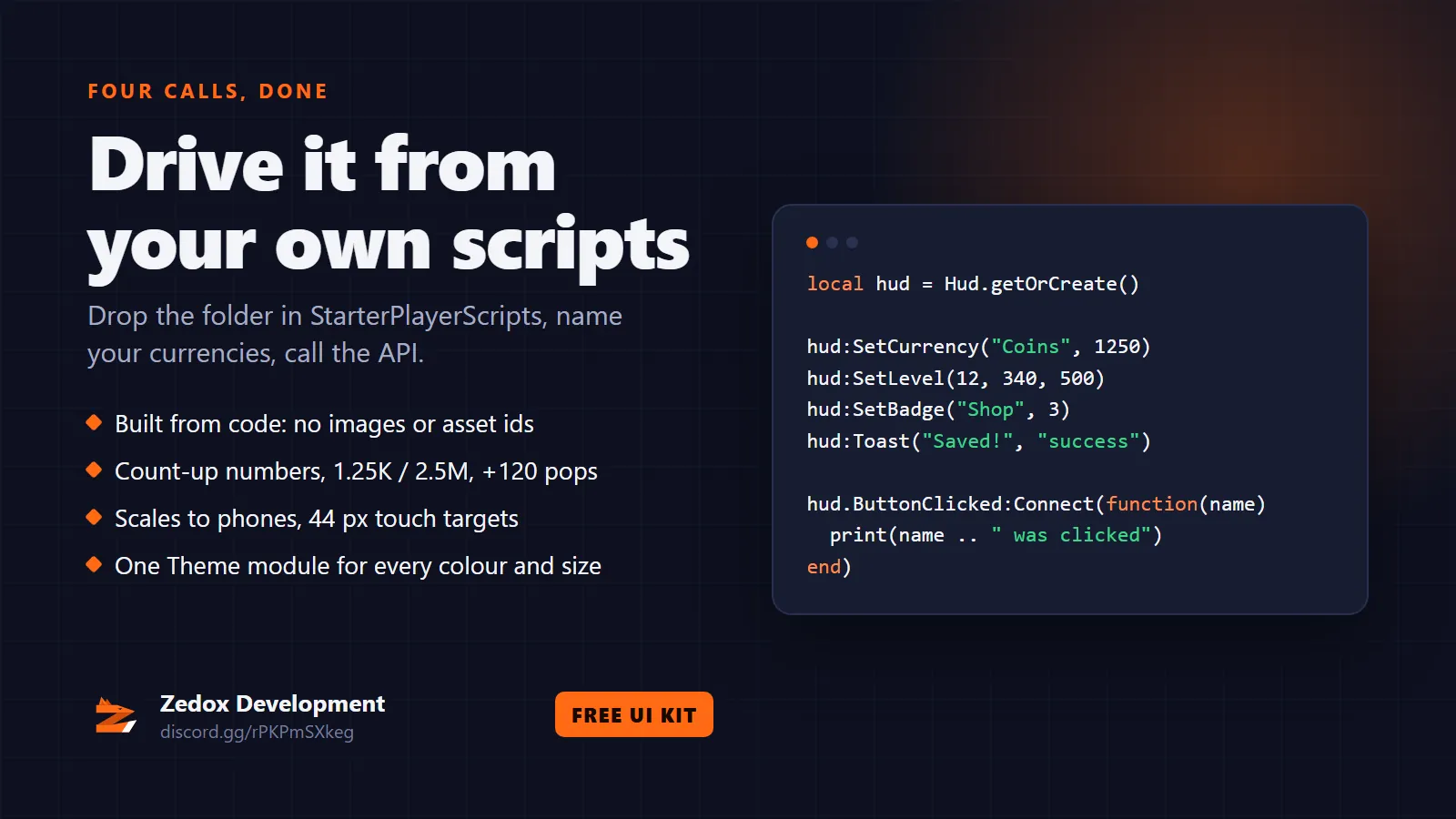
- Call
hud:SetCurrency,hud:SetLevel,hud:SetBadgeandhud:Toastfrom your own LocalScripts. SetConfig.DemoMode= true once to see it move with fake values. The README script at the top of the folder explains every step.
What is included
- Hud module with the full API (SetCurrency, SetLevel, SetBadge, Toast, ButtonClicked)
- Config module with comments per field
- Theme module (palette, sizes, font, timings)
- Currency counters with drawn icons and optional plus button
- Level and XP bar
- Side menu with badges
- Toast queue
- Demo script with fake values (off by default)
- README with setup guide
Marketplace
Browse the marketplaceMore from Zedox Development
 Zedox Development